
Timer
Hello Timer Volunteers! Thanks for timing our swimmers!
Before you come
- We use the Swimmingly App to time the swimmers. It's faster if you get it installed before the meet
- Install the app
- IOS: Swimmingly
- Android: Swimmingly Timer
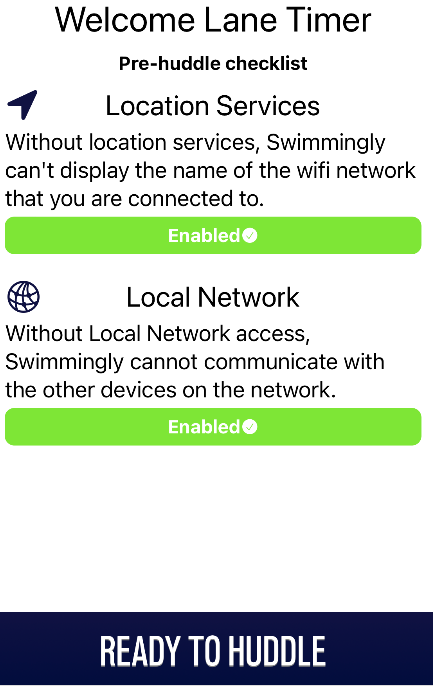
- Make sure you can start it up and get to Ready To Huddle!
Day of
- Make sure your phone is charged, and that you're not in airplane mode.
- You can set your phone in DND to avoid a notification disrupting the race.
- We'll have backup batteries in case somebody runs dry
- First half timers will come to the timer's meeting - check meet info for the exact time.
- Second half timers will huddle a few heats before shift change. We'll announce it on the speakers as well.
How to time
- If we're fully staffed, there will be one paper timer (clipboard + stopwatch) on each lane and two Swimmingly timers.
- Your job is to time each race. The times you log will get merged with the other timers on your lane to be the official time for the swimmer.
- Don't worry about whether the touch was a legal touch, just stop whenever any part of their body touches the wall.
- Step up as close to the edge as you need to get a clean view.
- You'll need to log the swimmer's number as well. Sometimes swimmers get swapped late in the day and it may not match the heat sheet - you should record what really happened, not what was supposed to happen. The swimmer's numbers are written on their shoulder or arm.
- No cameras are permitted behind the blocks. Since you're already standing there, help us enforce this or flag an official for help.
- When it's time to swim the 25s, you'll need to move down to the other end of the pool to time the end there. The announcer will tell you when to do this. The announcer will do a timer check to make sure everybody made it - make eye contact with the announcer chair and wave your hand so they know all the timers are online.
Details for paper timers
- Paper timing is super important! This is the final safety net for us to not lose a heat if there's a technology glitch.
- Start your stopwatch when you see the flash of the starter.
- If you're in the middle lanes, you have two stopwatches. Start them both, and use the second as a backup in case you or a neighbor misses a start.
- If the swimmer doesn't match the heat sheet, make the edit on the heat sheet.
- A runner will come and get your page
Details for digital timers
- You'll scan the QR code on the scorekeeper ipad to join the huddle. If you're a second half timer, just wait until the second half timers are called. When you join the huddle, make sure you join as a Timer and not a Starter.
- The clock on your phone will start automatically when the starter starts the race. You tap your screen to stop the clock.
- Once you've stopped the clock, type in the swimmer number, the swimmer's club, and what lane you're in.
- If you accidentally stop the race too early, just hit back and the clock will still be going.
- In a relay, enter all four swimmer numbers. You'll only enter a time when the relay is complete, not for each leg.
- The event on your phone won't change until the race starts. Until then, it will show the previous race.
- It's okay to make a couple of mistakes - the scorekeeper double checks the data, and each lane has three times to help correct for errors. If you make a lot of mistakes (like entering the wrong data over and over again) it can save some time to alert the scorekeeper so they can fix it quicker.
Text Area
Simple formatted text

